L'impression 3D en polycarbonate nécessite une imprimante compatible, un filament sec et une validation du processus spécifique à chaque type de matériau avant de valider les pièces fonctionnelles.
Qu'est-ce que le filament en polycarbonate (PC) ?
L'impression 3D au filament PC constitue la prochaine étape lorsque le PLA, le PETG et l'ABS ne répondent plus à vos exigences en matière de résistance ou de résistance à la chaleur. Le filament en polycarbonate (PC) est l’un des thermoplastiques les plus solides et les plus résistants aux chocs disponibles pour l’impression 3D de bureau. Si vous avez déjà travaillé avec de l’ABS ou du PETG et que vous avez souhaité bénéficier d’une plus grande solidité, d’une meilleure résistance à la chaleur ou d’une meilleure transparence, le PC est la solution logique.
Le filament PC comble le fossé entre les matériaux destinés au grand public, tels que le PLA et le PETG, et les plastiques techniques de qualité industrielle, comme le PEEK et le PEI. Il offre une combinaison unique de propriétés : une résistance extrême aux chocs (jusqu’à 200 fois supérieure à celle du verre), une résistance à la traction élevée (55–75 MPa), une température de transition vitreuse d’environ 147 °C et une transparence naturelle que peu d’autres filaments imprimables peuvent égaler. Si vous envisagez de passer à un niveau supérieur en termes de résistance thermique, notre Guide-filament en PEEK et comparaison des Les meilleures imprimantes 3D pour les matériaux d'ingénierie aider à définir la limite entre ce qui relève de l'informatique et ce qui relève véritablement des systèmes à haute température.
Si votre problème immédiat consiste à régler avec précision la buse, le plateau et la fenêtre de la chambre, utilisez notre Guide des températures d'impression pour PC en complément de cet aperçu général des contenus.
Pour les équipes chargées des achats et les ingénieurs produit, la question clé est de savoir s'il faut opter pour un PC classique ou pour un système plus simple à mettre en œuvre Mélange PC-ABS, ou un grade chargé tel que le PC-CF. Le choix approprié dépend de la résistance à la chaleur, des exigences en matière de résistance aux chocs, de la capacité d'encapsulation et du risque de déformation acceptable. Si votre priorité est de définir la fenêtre de processus, rendez-vous directement sur notre Guide des températures d'impression pour PC pour obtenir une réponse plus rapide axée sur la configuration.
Chez Nylon Plastic, nous proposons du filament PC de qualité technique, en complément de notre gamme complète de nylon et de matériaux haute performance, afin d'aider les fabricants et les amateurs chevronnés à repousser les limites de ce que permet l'impression 3D de bureau.
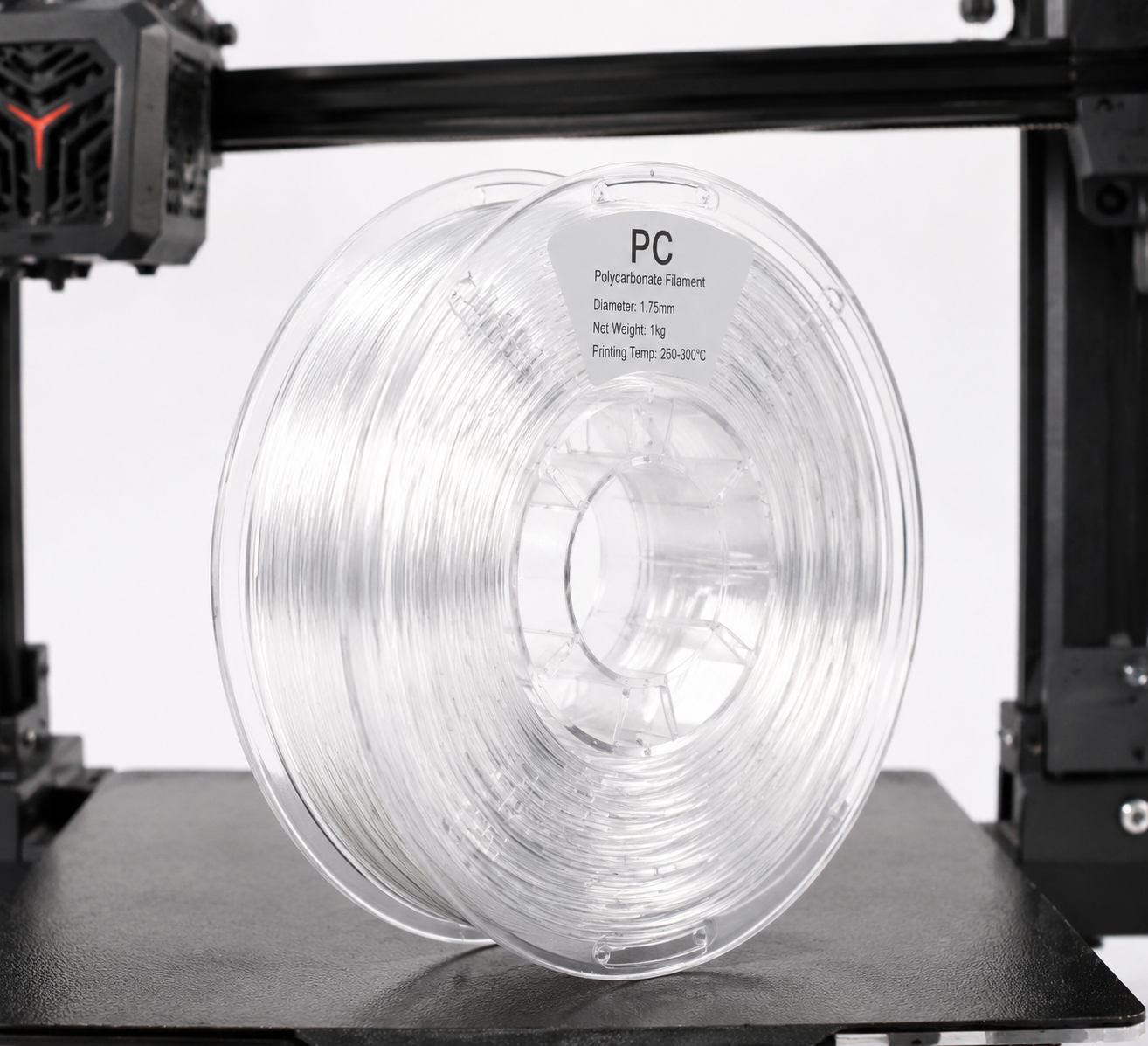
Aperçu des propriétés du filament PC
| Propriété | Polycarbonate (PC) | ABS (à titre indicatif) | PETG (à titre indicatif) |
|---|---|---|---|
| Résistance à la traction | 55 à 75 MPa | 35 à 45 MPa | 45 à 55 MPa |
| Module de flexion | 2 200 à 2 500 MPa | 1 700 à 2 100 MPa | 1 500 à 2 000 MPa |
| Résistance aux chocs (Izod) | 600 à 900 J/m | 150 à 300 J/m | 70 à 100 J/m |
| Température de transition vitreuse (Tg) | 147 °C | 105 °C | 80°C |
| Température de déformation sous l'effet de la chaleur (HDT à 0,45 MPa) | 130–140 °C | 90–100 °C | 68–70 °C |
| Densité | 1,20 g/cm³ | 1,04 g/cm³ | 1,27 g/cm³ |
| Clarté optique | Transparent (naturel) | Opaque | Translucide à transparent |
| Résistance aux UV | Modéré (ajouter un stabilisateur UV) | Mauvais (jaunit rapidement) | Bon |
Ce qui distingue le filament de PC, c'est sa résistance aux chocs. Avec une résistance au choc Izod comprise entre 600 et 900 J/m, il absorbe les chocs et les charges soudaines bien mieux que le PLA, le PETG ou même l'ABS. C'est pourquoi le polycarbonate est le matériau de prédilection pour les lunettes de protection, les vitrages pare-balles et les boîtiers électriques — et pourquoi il permet de fabriquer des pièces fonctionnelles imprimées en 3D d'une qualité exceptionnelle.
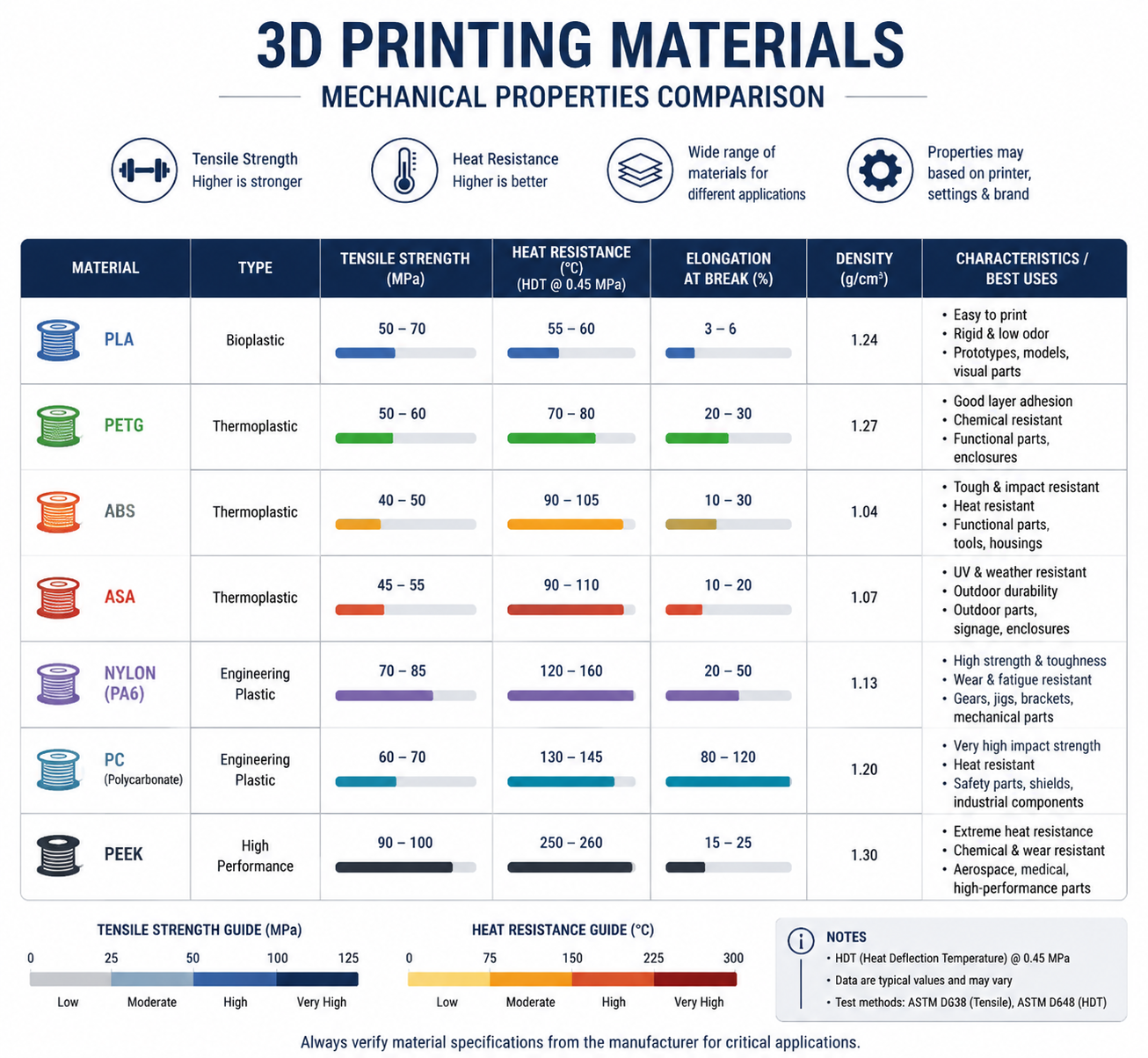
Caractéristiques techniques requises pour les imprimantes utilisant du filament PC
Toutes les imprimantes 3D ne permettent pas d'imprimer avec du filament PC. Avant d'acheter une bobine, assurez-vous que votre équipement répond à ces exigences minimales :
Température de la tête d'impression : 260–310 °C
Le filament PC s'imprime à une température comprise entre 260 et 310 °C, selon la marque et la formulation spécifique. Cela signifie que votre hotend doit être équipé d'un heat break entièrement métallique : les hotends revêtus de PTFE se dégradent rapidement au-delà de 240 °C et dégagent des fumées toxiques. Si votre imprimante est équipée d’une tête d’impression d’origine revêtue de PTFE (ce qui est courant sur les modèles d’entrée de gamme comme l’Ender 3), vous devrez la remplacer par une tête entièrement métallique avant d’imprimer du PC.
Plateau chauffant : 90–120 °C
Un plateau chauffant capable de maintenir une température comprise entre 90 et 120 °C est indispensable pour garantir l'adhérence du PC et éviter la déformation. De nombreuses imprimantes d'entrée de gamme ne dépassent pas les 100 °C sur le plateau, ce qui peut convenir pour les petites impressions en PC, mais peut s'avérer insuffisant pour les pièces de plus grande taille. Il est vivement recommandé d'utiliser une chambre d'impression fermée afin de maintenir la température ambiante et de réduire la déformation.
Boîtier : vivement recommandé
Le filament pour imprimante 3D se déforme fortement en l'absence d'un environnement thermique stable. Une enceinte permet de maintenir une température ambiante stable et d'empêcher les courants d'air de provoquer un décollement des couches. Si votre imprimante ne dispose pas d’un boîtier intégré, un boîtier de fortune (boîte en carton, tente photo ou boîtier fabriqué à partir d’une table IKEA Lack) peut faire l’affaire à la rigueur, mais veillez à maintenir une température ambiante d’au moins 45 à 60 °C à l’intérieur de la chambre. Si le soulèvement des coins et les contraintes de rétrécissement sont des problèmes récurrents, notre Guide sur la déformation lors de l'impression 3D approfondit la question de la stratégie de gestion thermique.
Build Surface: PEI, Garolite, or PC-Specific Adhesive
PC sticks well to PEI-coated spring steel sheets at 100–110°C. Garolite (G10/FR4) is another excellent surface — apply a thin layer of PVA glue stick as a release agent. Glass with glue stick also works but has a higher failure rate on large parts. Avoid printing PC directly on bare glass or BuildTak-style surfaces, as the strong adhesion can damage both the part and the bed during removal.
Nozzle Material: Hardened Steel Recommended
Pure PC filament is not abrasive, so a standard brass nozzle works fine. However, many PC blends — particularly PC-CF (carbon fiber filled) and PC-GF (glass fiber filled) — are highly abrasive. If you plan to print filled PC variants, upgrade to a hardened steel or ruby-tipped nozzle.
| Exigence | Minimum | Recommandé |
|---|---|---|
| Hotend Temperature | 260 °C | 280–300°C |
| Température du lit | 90 °C | 100–110°C |
| Hotend Type | Entièrement en métal | All-metal + hardened nozzle |
| Annexe | DIY enclosure (cardboard box) | Heated enclosure (45–60°C) |
| Surface de construction | PEI + glue stick | Garolite (G10) with PVA |
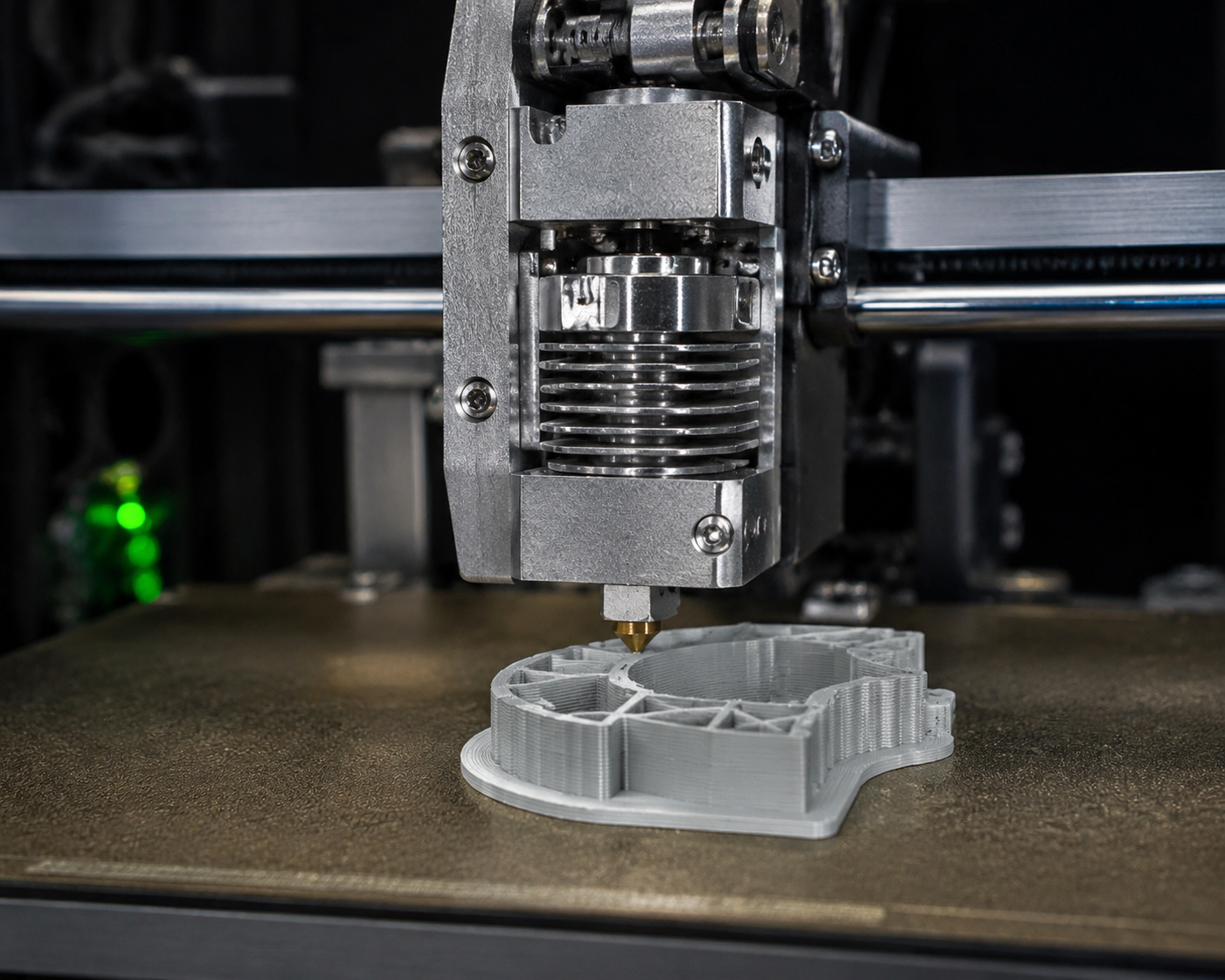
PC Filament Print Settings: A Practical Guide
Nozzle Temperature: Start at 270°C
Most PC filaments print well between 260°C and 310°C. Start at 270°C for your first test print and print a temperature tower to dial in the optimal setting for your specific filament brand. Higher temperatures improve layer adhesion but increase oozing and stringing; lower temperatures reduce stringing but risk poor interlayer bonding.
Signs of temperature too low: poor layer adhesion, delamination during printing, or matte/dull surface finish. Signs of temperature too high: excessive stringing, bubbling, yellowing/burning, or carbonized nozzle buildup.
Bed Temperature: 100–110°C
Set the bed to 100°C for the first layer, then reduce to 90–100°C for the remainder of the print. For large parts (over 150mm in any dimension), maintain 110°C throughout the print to maximize adhesion and reduce warping.
Print Speed: Slow Down
PC filament prints best at slower speeds: 30–50 mm/s for perimeters and 40–60 mm/s for infill. The first layer should be even slower — 20–25 mm/s with no cooling fan. Unlike PLA, which benefits from aggressive part cooling, PC needs time for each layer to fuse properly with the layer below.
Cooling Fan: Off or Very Low
Turn the part cooling fan off for the first 3–5 layers, then run it at a maximum of 20–30% only if needed for bridging and overhangs. Excessive cooling is the number one cause of warping and layer delamination with PC — think of it like printing ABS but with even less cooling tolerance.
Retraction Settings
PC is less prone to stringing than PETG, but it still benefits from proper retraction. For direct-drive extruders: 1–2mm retraction distance at 30–40 mm/s. For Bowden setups: 4–6mm retraction distance at 40–50 mm/s. If you see stringing, increase retraction distance before adjusting temperature.
Drying: Absolutely Essential
PC filament is moderately hygroscopic — it absorbs moisture from the air, and wet PC prints terribly. Bubbles, popping sounds from the nozzle, poor layer adhesion, and a rough surface finish all point to wet filament. Dry PC filament at 80–100°C for 4–6 hours before printing, and store it in a sealed container with desiccant. Print directly from a filament dryer if possible. Our Guide de séchage du nylon is also a useful reference here because the same sealed-storage discipline applies to other hygroscopic engineering filaments.
| Paramètres | Starting Value | Notes |
|---|---|---|
| Température de la buse | 270°C | Print a temperature tower to fine-tune |
| Température du lit | 100°C (first layer: 110°C) | Maintain 110°C for large parts |
| Vitesse d'impression | 40 mm/s | First layer at 25 mm/s |
| Cooling Fan | 0–20% | Off for first 3–5 layers; minimal thereafter |
| Retraction (Direct Drive) | 1.5mm @ 35 mm/s | Bowden: 5mm @ 45 mm/s |
| Séchage | entre 80 et 100 °C pendant 4 à 6 heures | Store in sealed container with desiccant |
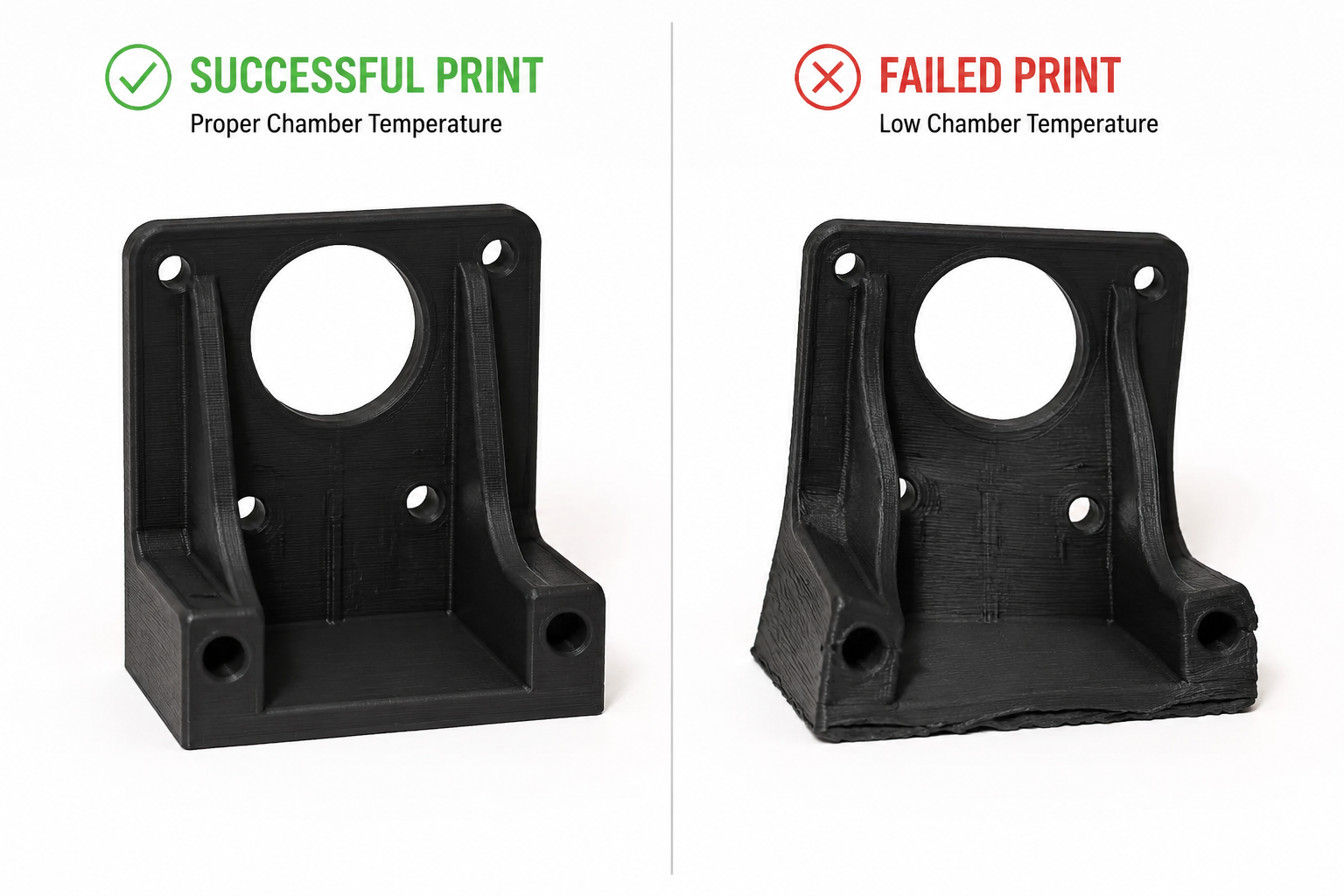
Common PC Filament Problems and Solutions
Warping and Lifting
Cause: Insufficient bed adhesion or ambient temperature fluctuations. PC has a relatively high coefficient of thermal expansion, meaning it shrinks significantly as it cools.
Solution : Increase bed temperature to 110°C, use an enclosure, add a 10mm brim, and apply a thin layer of PVA glue stick on the build plate. For stubborn warping on large parts, use a draft shield (available as a slicer setting in most slicers) to contain heat around the print.
Layer Delamination (Splitting Between Layers)
Cause: Printing temperature too low or cooling fan running too aggressively. The layers cool before properly fusing with the previous layer.
Solution : Increase nozzle temperature by 5–10°C, turn off part cooling completely, reduce print speed by 10–15 mm/s, and ensure the enclosure is maintaining stable ambient temperature.
Moisture-Related Defects (Bubbles, Popping, Rough Surface)
Cause: Wet filament. PC absorbs moisture from ambient air within 24–48 hours of exposure.
Solution : Dry filament at 80–100°C for 4–6 hours. Print directly from a filament dryer running at 70°C. Store unused filament in a vacuum-sealed bag with fresh desiccant.
Formation de fils et suintement
Cause: Temperature too high, retraction insufficient, or wet filament.
Solution : Lower nozzle temperature by 5°C increments, increase retraction distance by 0.5mm, and ensure filament is properly dried. PC is less stringy than PETG but still needs tuning.
PC Filament Variants: PC-ABS, PC-CF, PC-GF, and More
Pure PC filament is excellent, but several PC-based blends expand its capabilities:
PC-ABS Blend
PC-ABS blends combine polycarbonate’s heat resistance and impact strength with ABS’s improved printability and lower cost. Typical printing temperature: 250–270°C, bed: 100–110°C. PC-ABS is easier to print than pure PC (less warping) while retaining most of the mechanical benefits. Common applications include automotive interior parts and consumer electronics housings.
PC-CF (Carbon Fiber Filled)
Adding 10–20% carbon fiber to PC dramatically increases stiffness (flexural modulus can exceed 6,000 MPa) and reduces warping by lowering the coefficient of thermal expansion. Trade-offs: the filament becomes brittle (lower impact strength), highly abrasive (requires hardened nozzle), and loses transparency (becomes black/matte). PC-CF is ideal for structural brackets, drone frames, and jigs and fixtures where stiffness matters more than impact resistance.
PC-GF (Glass Fiber Filled)
Glass fiber-filled PC offers stiffness improvements similar to PC-CF but at a lower cost and with better impact resistance retention. PC-GF is also abrasive, so a hardened nozzle is required. It is commonly used for industrial tooling, functional prototypes, and parts requiring dimensional stability at elevated temperatures.
PC-PBT and PC-PET Blends
Less common but notable: PC-PBT blends offer improved chemical resistance over pure PC, while PC-PET blends combine PC’s strength with PET’s ease of printing. These are specialty materials for specific applications like chemical-resistant enclosures and food-contact components (subject to FDA compliance verification).
| Variante | Avantage clé | Compromis | Buse |
|---|---|---|---|
| Pure PC | Transparency, impact resistance | Warping, high temp required | Brass OK |
| PC-ABS | Easier to print, lower cost | Slightly lower heat resistance | Brass OK |
| PC-CF | Extreme stiffness, low warping | Brittle, abrasive, opaque | Hardened steel required |
| PC-GF | Good stiffness, lower cost | Abrasive, opaque | Hardened steel required |
| PC-PBT | Résistance chimique | Less common, harder to source | Brass OK |
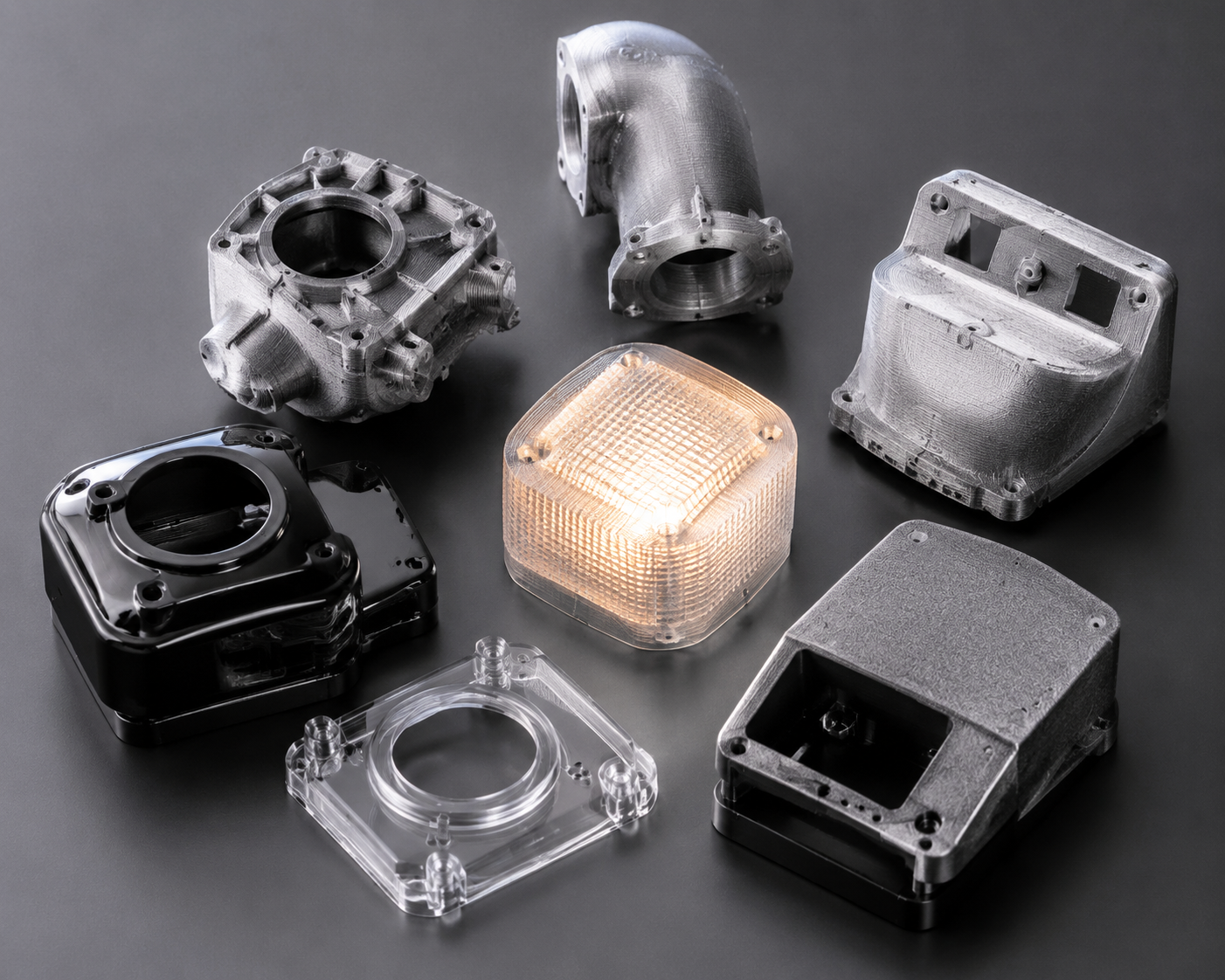
PC vs Other High-Temperature Filaments: When Does PC Win?
PC filament sits in a sweet spot between mid-range materials (ABS, PETG) and ultra-premium filaments (PEEK, PEI). Here is how it compares:
| Matériau | Print Temp | Tg / HDT | Cost per kg | Meilleur pour |
|---|---|---|---|---|
| PC | 260–310°C | 147°C / 138°C | $35–60 | Impact-resistant functional parts, transparent prototypes |
| ABS | 230–260 °C | 105°C / 98°C | $15–25 | Budget enclosures, general prototyping |
| ASA | 240–260 °C | 105°C / 95°C | $25–40 | Outdoor parts needing UV resistance |
| Nylon (PA6) | 250–280°C | 50–60°C / 160°C | $30–50 | Wear parts, gears, flexible components |
| PEI (Ultem) | 350–390°C | 217°C / 200°C | $150–250 | Aerospace, medical, extreme environments |
| PEEK | 360–410°C | 143°C / 250°C+ | $400–800 | Highest-performance applications |
Choose PC when: you need impact resistance that ABS cannot deliver, transparency that nylon cannot provide, or heat resistance that PETG cannot handle — et your printer can maintain the required temperatures with an enclosure.
Skip PC when: your printer lacks an all-metal hotend and enclosure, you need maximum chemical resistance (use nylon or PEI), or you are printing flexible parts (use TPU or nylon instead).
Best PC Filament Brands in 2026
Several manufacturers produce reliable PC filament. Based on community testing and practical experience:
- Prusament PC Blend — Prusa’s in-house PC blend prints at 260–280°C with excellent consistency and is among the easiest PC filaments to print on properly equipped machines.
- Polymaker PolyMax PC — Known for exceptional layer adhesion and impact resistance; prints at 250–270°C with good bed adhesion on PEI.
- 3DXTech PC — Industrial-grade PC and PC blends (PC-CF, PC-GF) made in the USA with tight diameter tolerances; typically requires 280–310°C.
- eSUN ePC — A more affordable option that prints at 250–270°C, suitable for users transitioning from ABS/PETG to PC. Slightly lower heat resistance than premium brands.
- Bambu Lab PC — Optimized for Bambu Lab enclosed printers with RFID spool recognition; prints reliably at 270–290°C.
When sourcing PC filament, prioritize consistent diameter (within ±0.03mm), proper vacuum-sealed packaging with desiccant, and a manufacturer that provides a detailed technical datasheet (TDS) with mechanical property data.
Safety Considerations When Printing PC Filament
PC filament printing produces fumes that, while less immediately toxic than ABS fumes, still warrant ventilation. Key safety practices:
- Print in a well-ventilated area or use an enclosure with a fume extraction system (HEPA + activated carbon filter).
- Avoid extended exposure to printing fumes in unventilated rooms — bisphenol A (BPA) is a component of polycarbonate, and while the risk from FDM printing is low compared to industrial processing, precaution is warranted.
- Do not burn or overheat PC filament beyond recommended temperatures — thermal decomposition starts around 350°C and produces potentially harmful compounds.
- Wear heat-resistant gloves when handling PC prints fresh off the bed — the bed operates at 100°C+ and the part itself can cause burns.
Conclusion: Is PC Filament Right for Your 3D Printing Projects?
PC filament is not for beginners. It demands an all-metal hotend, a heated bed capable of 100°C+, an enclosure, and careful attention to print settings and filament drying. But for users who can meet these requirements, PC delivers a combination of impact strength, heat resistance, and optical clarity that no other sub-$100/kg filament can match.
For professional applications — functional prototypes, jigs and fixtures, electrical enclosures, automotive under-hood components, and transparent mechanical parts — PC filament is often the best material available on a desktop printer short of PEEK or PEI.
At Nylon Plastic, we supply engineering-grade PC filament alongside our full range of nylon (PA6, PA66, PA12), carbon fiber-filled, and glass fiber-filled materials for demanding 3D printing, CNC machining, and injection molding applications. If you need technical guidance on material selection or want to discuss your specific application requirements, our engineering team is available to help.
Techniques spéciales
Recuit des impressions sur PC
Le traitement thermique après impression améliore les propriétés :
1. Mettre l'impression au four à 120 °C
2. Laisser agir pendant 30 à 60 minutes
3. Laisser refroidir lentement au four
4. Prévoyez de légères variations dimensionnelles
Collage de composants informatiques
- Soudage au solvant: Chlorure de méthylène (efficace mais toxique)
- Époxy: Convient à la plupart des utilisations
- Soudage par friction: Crée des liens solides